Weekly Notes: July 13 – July 19
Weeknotes - mostly coding-agent infrastructure this week, plus a few design and build-tool rabbit holes.
Writing instructions for humans, too
Found three projects that approach the same problem from different angles: making communication between agents and humans less painful.
- agent-comms is a set of conventions for making agent updates clearer and more useful.
- Dillon Mulroy’s
/broskill rewrites a dense answer in plain English without stripping out the important details. - i-have-adhd shapes responses around limited working memory: lead with the next action, keep the steps small, and make progress visible.
I pulled ideas from all three into my own shared communication layer for coding agents. It’s early, but it seems to be helping. The i-have-adhd skill in particular has been surprisingly good. Responses are easier to scan, and I spend less time figuring out what I’m actually supposed to do next.
From CodePass to keepitmovin
I decided CodePass was trying to be too many things. I pulled out the part I actually cared about and turned it into keepitmovin.
CodePass started as a general harness for running different coding agents, routing work between models, and falling back when a provider failed. It worked, but it kept getting harder to explain.
The problem I wanted to solve was much simpler: I’m halfway through a task, one tool hits a limit, and I don’t want to start over in another one.
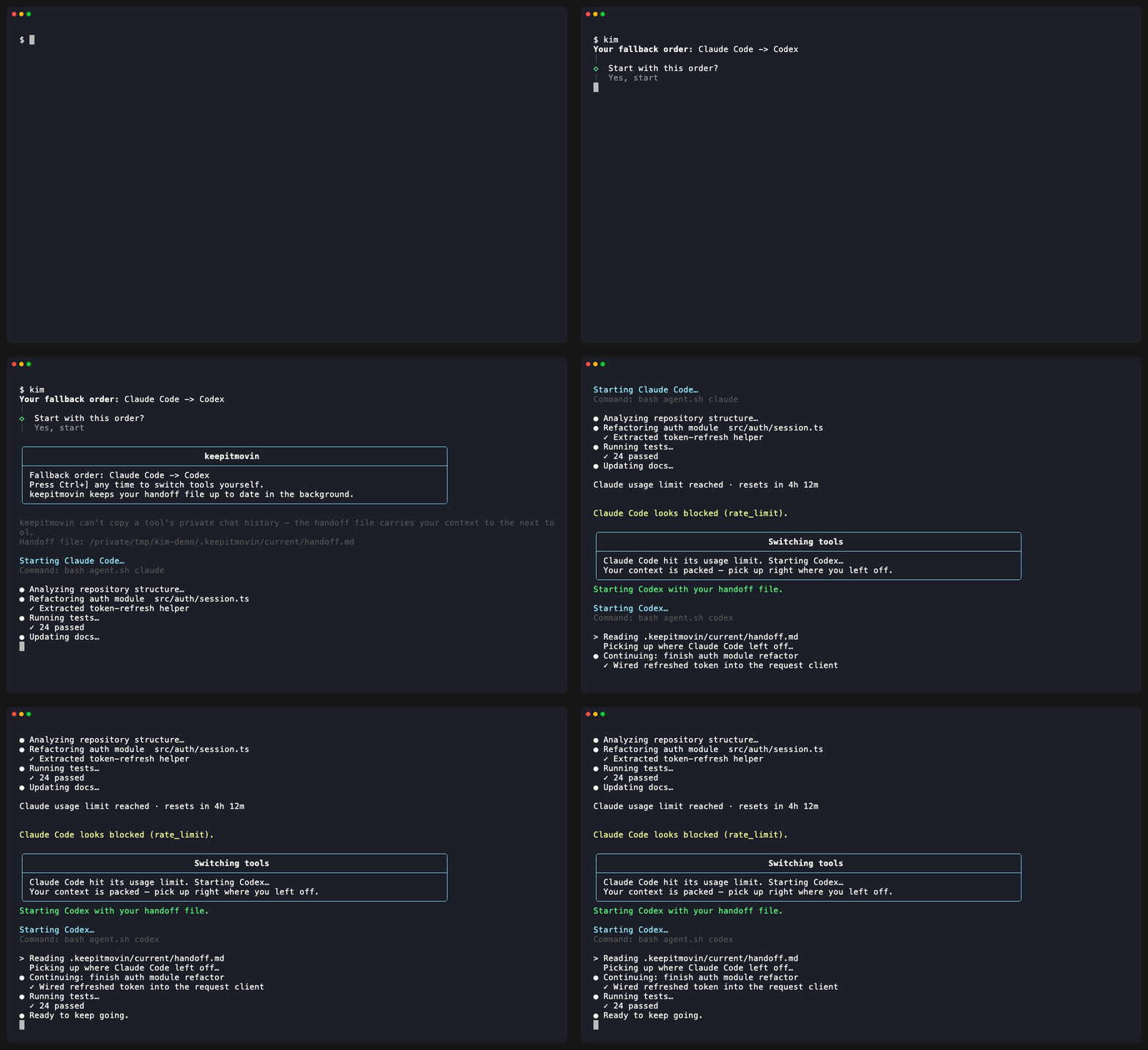
keepitmovin runs coding tools in a fallback order and keeps a shared handoff file with the goal, current state, changed files, checks, blockers, and next step. If Claude Code hits a limit, it can move the task to Codex with a useful record of what was happening. I can also switch manually when another tool makes more sense for the next part.
It isn’t copying the private chat from one agent into another - none of these tools exposes that reliably. The handoff is more like a good shift-change note: short, practical, and backed by the actual state of the repo.
I also added a read-only Model Context Protocol (MCP) server. Supported tools can pull in the current sanitized handoff and recent session results as context. It can’t run commands, edit files, switch agents, or expose raw terminal transcripts. I wanted the useful part of MCP without giving it a giant permission footprint.
This feels much clearer than CodePass. There’s still plenty to work through, but at least the pitch makes sense now: agents hit limits; your work doesn’t.
Rebuilding my Figma plugin starter
I modernized my Vite Figma Plugin Template, a starter for building Figma plugins with React, TypeScript, Tailwind, and Vite.
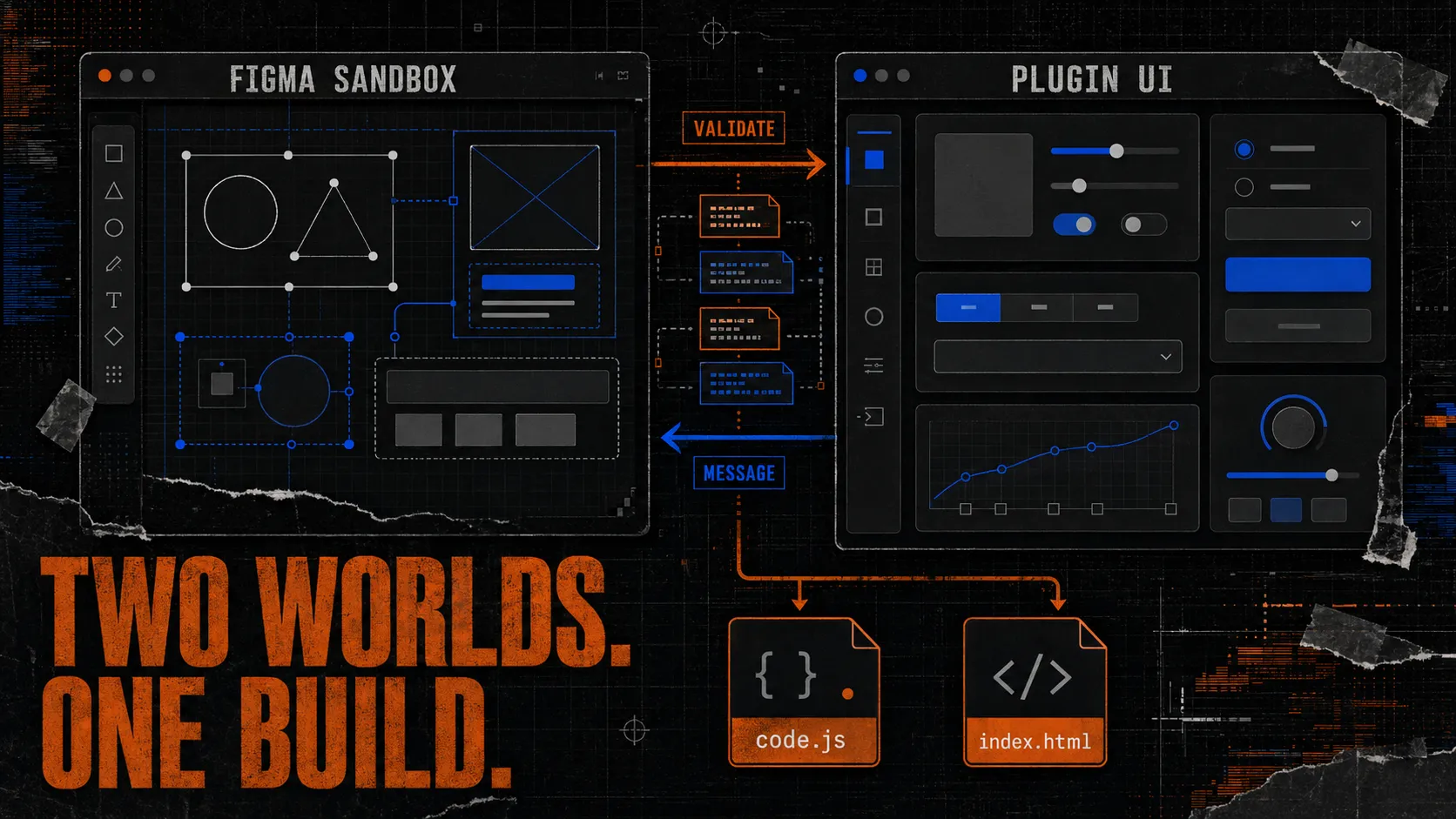
Figma plugins are really two small apps: sandbox code that can talk to Figma, and a separate iframe UI that gets normal browser APIs. The annoying part is wiring them together without using the wrong API in the wrong place.
The starter keeps those two sides separate, validates the messages between them, and builds exactly two files: one sandbox script and one self-contained HTML file.
This update moved it to React 19 and Tailwind CSS 4, tightened the linting and accessibility checks, improved watch mode, and added better tests around messaging and the final build.
The goal is pretty boring, which is the point: clone it, rename the plugin, import the manifest, and start on the actual idea instead of rebuilding the same setup again.
Design systems as agent context
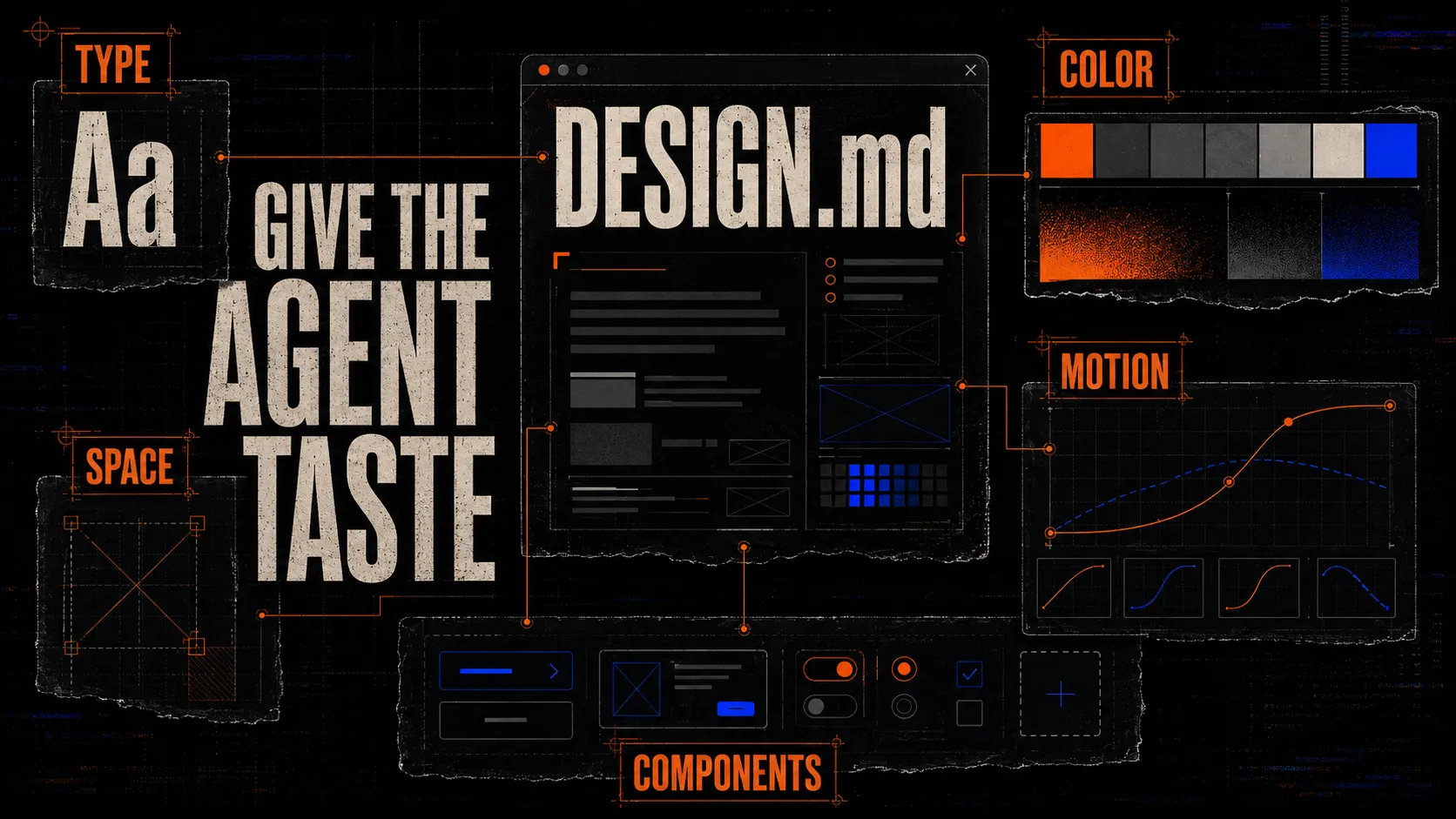
I watched two good videos about creating a DESIGN.md and turning a visual system into context an agent can actually use.
This feels like the visual version of AGENTS.md. A useful design file should explain the type, color, spacing, components, motion, and general taste of a project. Every prompt shouldn’t have to start from a blank aesthetic slate.
I’m still figuring out how strict that file should be. Too loose and the output drifts. Too rigid and the agent follows every rule but still makes something lifeless. The useful middle is probably explaining the reasoning behind the system, not just listing values.
OpenAI Build Week
I joined the OpenAI Open Model Hackathon and started a very last-minute project for it.
The short timeline is probably good for me. There’s no time to overthink the premise or polish something that doesn’t work. I have to get to a prototype quickly and see if the idea survives. More on this one when there’s something real to show.
How remote agent sessions actually work
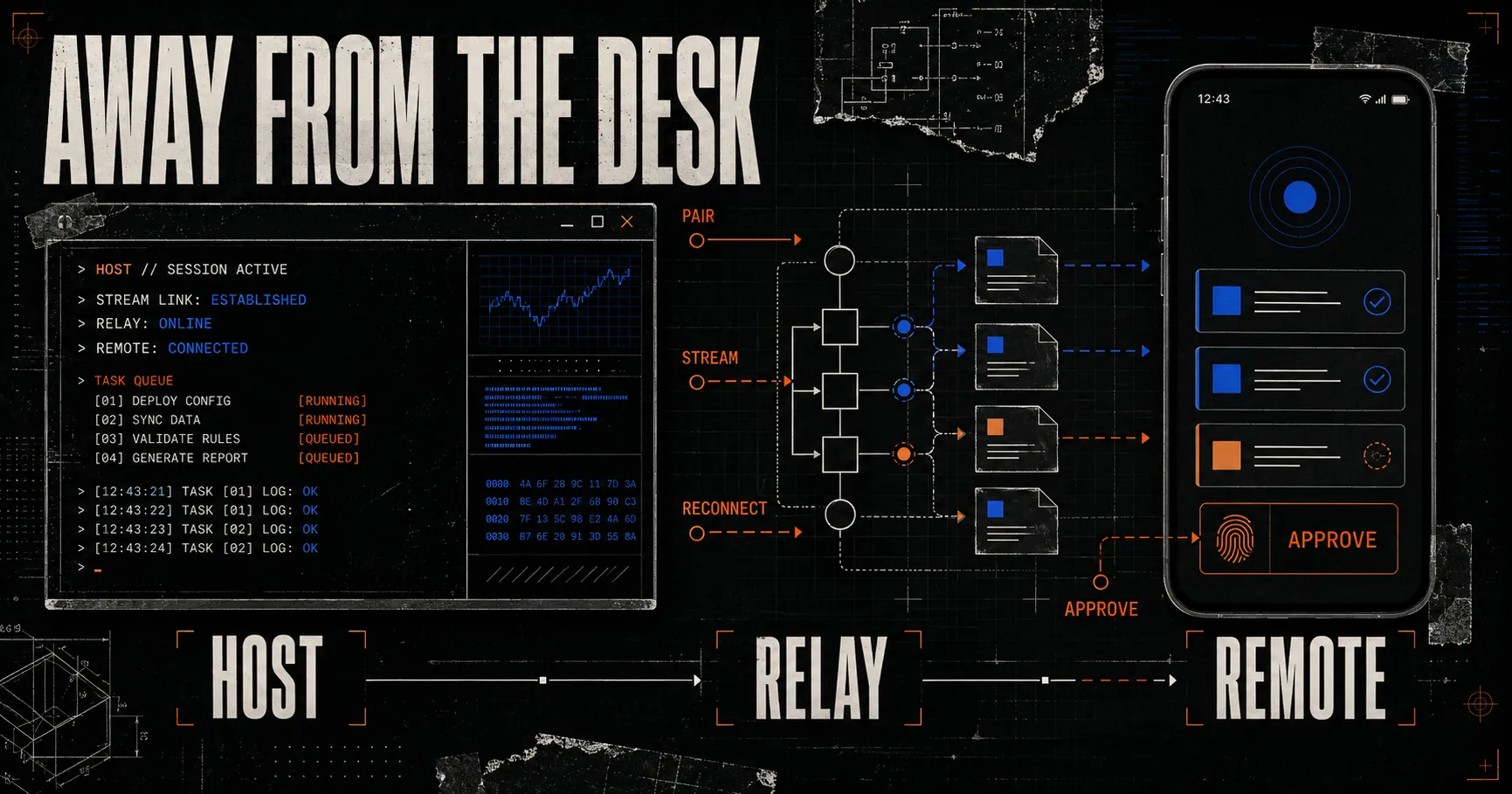
Tools like Claude Code already let you start work on a computer and check in from your phone. I’ve used features like that, but realized I had no idea how they actually worked. So I started digging into what it would take to build one.
It’s not really about squeezing a terminal onto a phone. The interesting parts are underneath: keeping a process alive on the computer, pairing another device securely, streaming state both ways, reconnecting after the phone drops offline, and deciding which actions need another permission check.
The phone is better as a remote control than as the computer itself. I want to check progress, answer a question, approve a step, or redirect the agent while the real process keeps running at my desk.
This overlaps with keepitmovin more than I expected. Both problems come down to keeping the state of the work outside any one interface or live chat. I don’t know if I want to build this, but I understand the problem much better now.
Two technical rabbit holes
esbuild vs. Rolldown
I spent some time comparing esbuild and Rolldown. I started with the obvious question - which one is faster? - but that isn’t especially useful.
esbuild is proven, extremely fast, and already does its job well. Rolldown is interesting because it fits the Rollup ecosystem and is becoming part of Vite’s future. The real question is whether switching gives a project something it needs, not which benchmark has the shorter bar.
Production agent harnesses
I also collected a pile of videos and notes on building production agent harnesses. The demos make the loop look easy: give an agent a task, let it call tools, and wait.
The hard parts are state, retries, usage limits, verification, recovery, and knowing when the loop is stuck instead of productive. The model is only one part of the product. The harness around it is what makes the work dependable.
An idea called taco
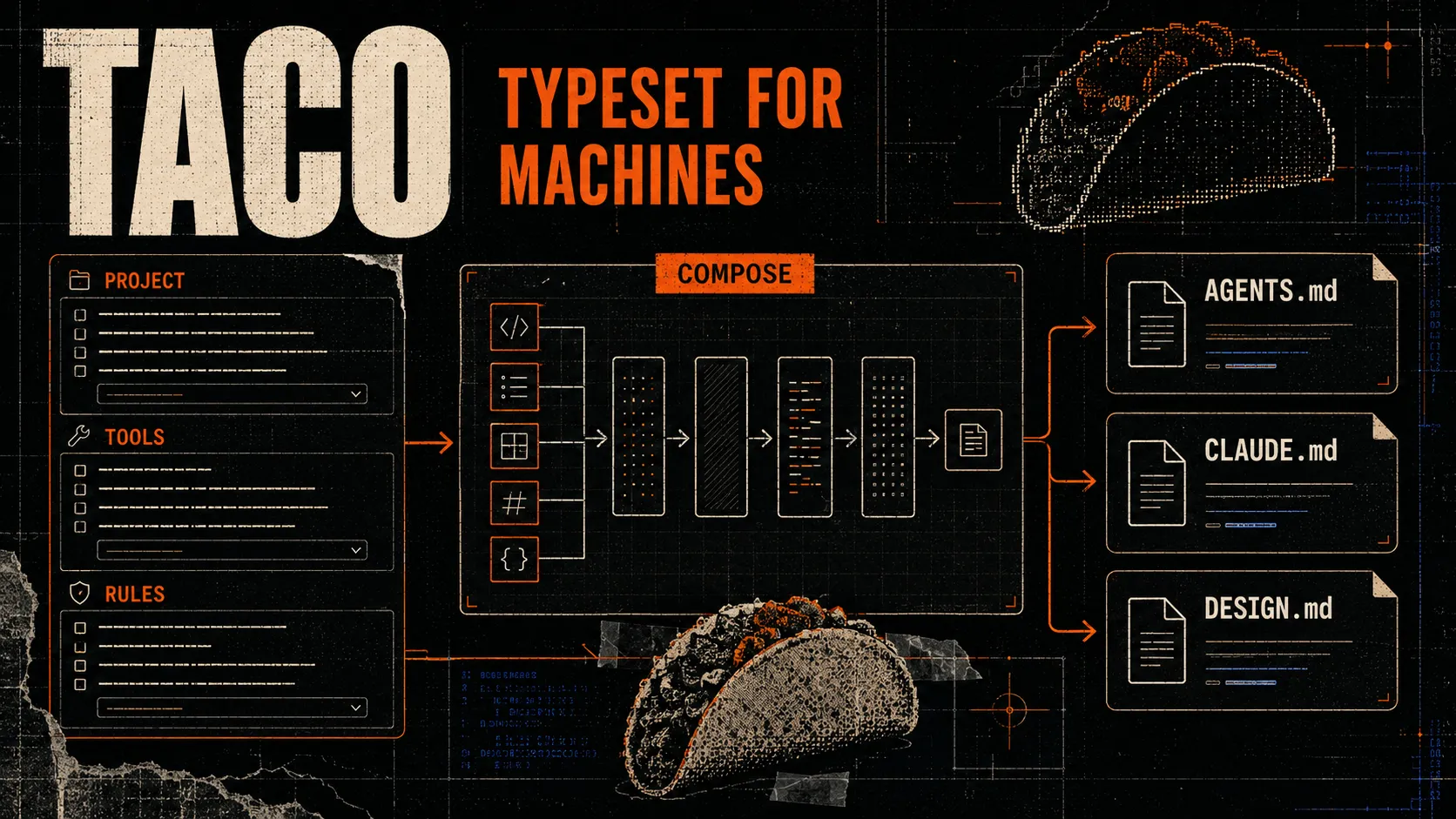
I sketched out an idea called taco.
The simplest version is a web app for creating the instruction and configuration files coding agents use. You choose a tool, answer a few questions about the project, and get the right files in the right format.
That could be an AGENTS.md, CLAUDE.md, DESIGN.md, skill, command, rule, MCP config, or CI workflow. Right now, most of these are hand-written from examples scattered across different docs.
taco would make it feel more like a small publishing tool: choose what you want to say, preview how each agent will receive it, then export the files.
I like the idea, but I’m not convinced it needs to be a product yet. Good templates might solve enough of the problem. I’m benching it until I can make the use case sharper.
Bookmarked this week
- Vibe Island - a desktop tool that puts AI coding sessions in the Mac’s Dynamic Island. There’s also an open-source version and a related project called Vibe Notch.
- Claude Cowork - I started a deeper pass through how it handles longer-running work, context, and user checkpoints. Still working through this one.